


Private transfer companies
Let customers book rides between hotels, homes and other destinations, and choose a vehicle from your fleet.
BOOKING SOFTWARE FOR TRANSFER OPERATORS
Let customers book transfers on your own branded website. Manage bookings, locations, rates, drivers, vehicles and invoices in one dashboard.
The platform
One booking website. One place to manage your transfers.
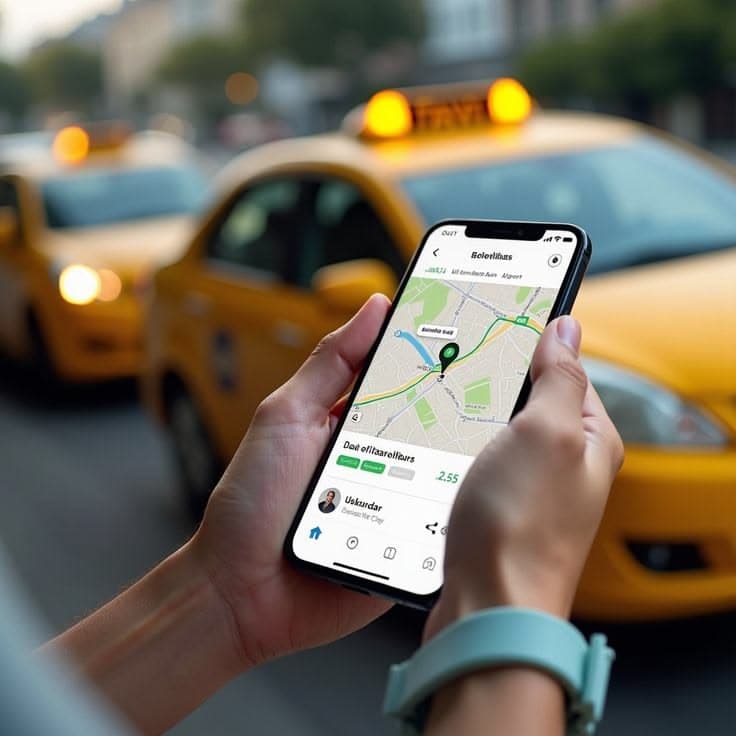
Your own booking website, with every journey detail ready for your team.
Let customers book transfers on a website with your business name, logo and colours.
See how booking works
Show vehicle photos and space for passengers and bags, so customers can choose the right ride.
Explore vehicle selection
View upcoming transfers, assign drivers and vehicles, and check payment details in one place.
See the dashboard
Get help with Google search and social media. Available as an optional service at an extra cost.
Explore marketing servicesWho it's for
Let customers book online while you manage the bookings, drivers and vehicles.
Let customers book rides between hotels, homes and other destinations, and choose a vehicle from your fleet.

Take bookings for airport pickups and drop-offs, with passenger, luggage and pickup details in one place.

Take bookings for whole-group journeys. Show how many passengers and bags each shuttle can carry.

Let customers book a car with a professional driver. Manage each booking, driver and vehicle from your dashboard.
Let customers enter their journey details and choose a vehicle online. Keep those details ready for your team to plan the transfer.
Keep your drivers and team on the same page.
Illustrative transfer operations
Bring pickup, destination, date, time, passengers and luggage into one booking.
Show how many passengers and bags each vehicle can carry, so customers can choose the right one.
Keep each booking with its driver, vehicle and payment details.
Your customer experience
Let customers book a transfer on your own domain. They enter their journey, choose a vehicle and select an available payment method.
Choose a pickup location, destination, date and time.
Enter adults, children, checked luggage and hand luggage.
Compare vehicles, passenger capacity, luggage space and transfer prices.
Add contact details and pay online, or choose to pay the driver after the ride where you offer that option.
Demo booking
Journey summary
Illustrative screen. No reservation is created and no payment is processed.
Illustrative product interface
Present your business with your name, logo, colours and service information.
Help customers choose with vehicle images, passenger capacity and luggage allowances.
Let customers book in the languages you set up for your website.
Show the journey, vehicle, passengers, luggage and price before the customer confirms.
Your operations
See upcoming bookings and manage locations, rates, drivers, vehicles, payment records and invoices in one place.
Operator dashboard · Demo data
Demo data · Transfer DP-2048
Paris Charles de Gaulle Airport → Paris city centre
Illustrative product interface
See upcoming transfers, check booking details and update booking statuses.
Add your pickup and destination locations. Set the transfer prices customers see.
Keep driver records, vehicle details and booking assignments together.
Check payment records, see amounts still due and manage transfer invoices.
Update your branding, website languages and booking options.
Getting started
Make it yours
Connect your domain and add your logo, colours and business information.
Build your fleet
Add vehicles, passenger and luggage capacities, transfer locations and rates.
Welcome the world
Choose your booking languages and the payment methods supported by your provider.
Ready for take-off
Give customers your website address and manage incoming bookings through Dopinder.
Serve international customers
More ways to pay
Let customers pay online by card or a supported digital wallet. You can also offer cash payment to the driver after the ride.
Cards & digital wallets
 Visa
Visa Mastercard
 Apple Pay
 Google Pay
Prefer to pay after the ride?
Cash to driver, where offered.
Apple Pay and Google Pay can be offered through compatible payment providers.
Available payment methods depend on the connected provider, business country and customer device.
A warmer welcome
Let customers read journey details and complete their booking in the languages you set up.
Your journey
EnglishPickupDestination
Votre trajet
FrançaisDépartDestination
Tu viaje
EspañolRecogidaDestino
Agree your website languages and translation needs during setup.
Pricing
Tell us about your fleet and booking needs. Request pricing and compare the available subscription options.
Pricing coming soon
Package details coming soon.
Pricing coming soon
Package details coming soon.
Pricing coming soon
Package details coming soon.
SEO and social media services are optional and quoted separately.
Before you choose
Review the booking website, dashboard, payment options and setup with us before choosing a package.
Use your own domain, logo, colours and service details on your transfer booking website.
See the booking experienceCard and wallet options depend on your payment provider and country. You can also enable cash payment to the driver after the ride.
Review payment optionsDiscuss your vehicles, service area, rates and languages in a demo before choosing your setup.
Discuss your requirementsSEO and social media cost extra. A separate proposal explains the work, channels, reporting and any advertising spend.
Explore growth servicesTell us how many vehicles you run and where you operate. We will walk you through the website and dashboard.
FAQs
Dopinder is transfer booking software for private transfer, airport transfer, private shuttle and fleet businesses. It gives you a branded booking website and a dashboard to manage transfers.
Yes. Your booking website uses your own business domain, logo and colours. Your domain is connected during setup.
Customers enter their pickup, destination, date, time, adults, children, checked bags and hand luggage. They then choose a vehicle.
Yes, through a compatible payment provider connected to your business. Available cards and digital wallets depend on the provider and your country.
You can offer cash payment to the driver after the ride where enabled for your service. Customers see the available payment choices before confirming.
These wallets can be offered through compatible payment providers, subject to country, device and provider availability.
Yes. The booking website is designed to support multiple languages. Your languages and translation needs are agreed during setup.
You can manage transfers, pickup and destination locations, rates, drivers, vehicles, payment records, invoices and business settings.
Dopinder is designed for private shuttle bookings. If you sell individual seats or run scheduled departures, ask us to confirm whether your setup is supported.
They are optional services with separate pricing. You can request either service alongside your software subscription.
Book a demo and tell us about your fleet size, service area and expected booking volume. We'll explain the available options.
Request a demo to review the customer booking website and operator dashboard with us.
Smarter bookings. Smoother journeys.
Explore your branded booking website and see how to manage transfers, drivers and vehicles in one dashboard.
See the platform in a demo
Tell us about your fleet, service area and booking needs.